
Saturday, June 7, 2008
0
Pause A Command Prompt After Execution
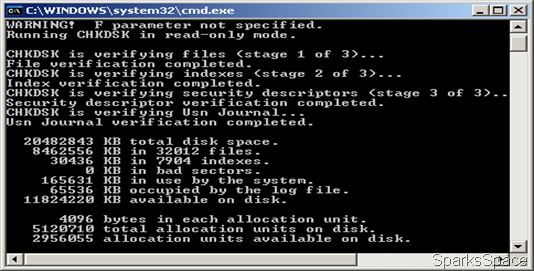
Many a times a DOS or command line based program is run through the usual Start> Run method –say something like chkdsk or a network tracert command . The program executes and then shuts the command line window with it.Ideally, we want to see what happens during the execution of an application.
To do this , type the name of application or the command after cmd /k. For example , cmd /k chkdsk d: will scan the disk, display the results and leave the command prompt window open.

Subscribe to:
Post Comments (Atom)


0 Responses to “Pause A Command Prompt After Execution”
Post a Comment